Download the g777 App – Cricket Betting & Casino on Your Phone
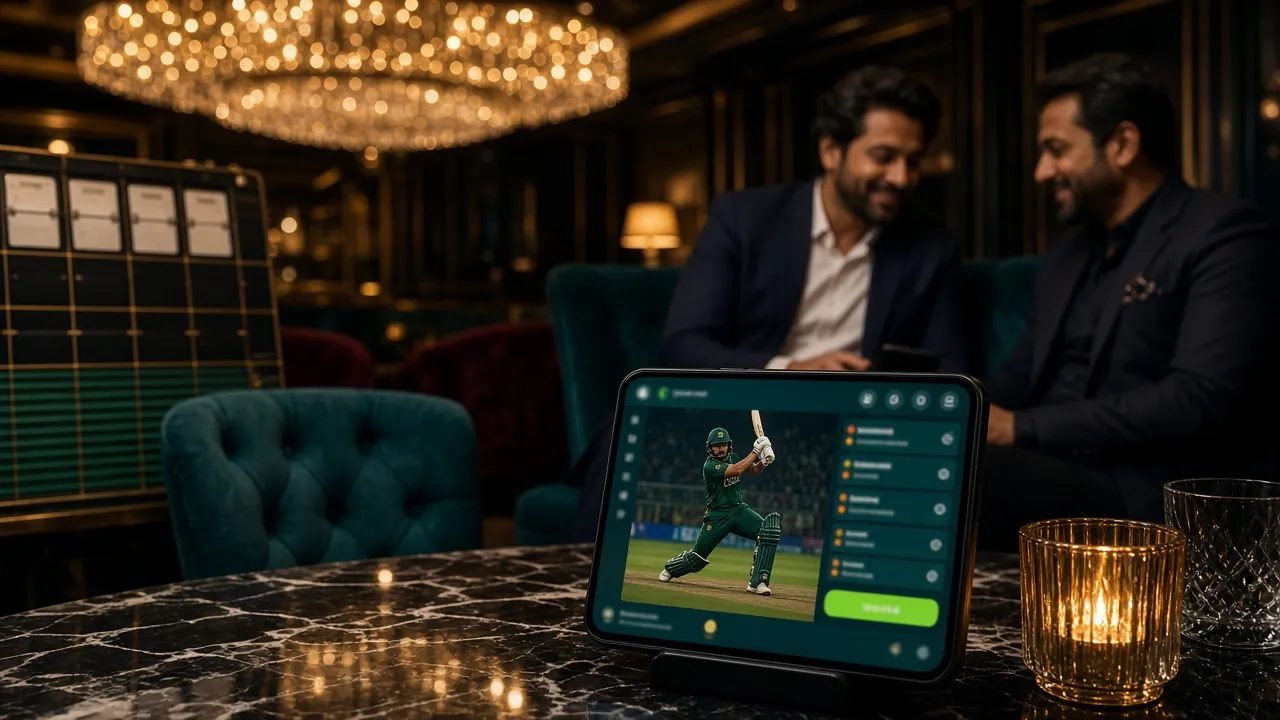
The g777 App puts cricket odds, live casino tables, and crash games right in your pocket. Works on Android, loads fast on mobile data, and supports bKash and Nagad for instant deposits from ৳100.
Scan to download
What You Get in the g777 App
Everything available on the full website is built into the g777 App — optimised for touch screens and Bangladesh mobile connections.
Cricket Betting
Bet on BPL, IPL, T20 and ODI matches with live odds that update ball by ball. Place bets during the over without refreshing the page. Minimum bet ৳10, maximum ৳20,000 per market. Scores and ball-by-ball commentary built in.
Live Casino Tables
Join European Roulette Pro, Teen Patti and Baccarat tables with live dealers. Ezugi-powered streams run smoothly on 4G. Bet from ৳1 and choose your table limit. Chat with dealers and other players in real time.
Crash & Instant Games
Spribe's Aviator-style Crash games load in seconds. Tap to cash out before the multiplier crashes. Limbo, Drill That Gold and other fast games fill a commute perfectly. Rounds finish in under 30 seconds, so there is no waiting around.
Slots from Top Providers
Play Butterfly Blossom, Dragon Hatch, Phoenix Rises and more from PG Soft, JDB and CQ9. Touch-optimised reels with auto-spin. All RTPs shown before you play — Dragon Hatch sits at 97.5%. No download needed once the app is installed.
bKash & Nagad Deposits
Top up your account without leaving the app. bKash, Nagad, Rocket and Upay are all integrated. Minimum deposit ৳100, money arrives in about 5 minutes. No extra fees charged by g777 on any mobile money method.
24/7 Live Chat Support
Open the help window inside the app and reach a support agent any time, day or night. Useful when you have a deposit query before a big match. No need to switch to a browser — the chat stays open while you navigate between game sections.
Install the g777 APK on Android
Android blocks APK files from outside the Play Store by default. You need to allow installs from unknown sources once — it takes about 20 seconds. Follow these five steps in order.
-
1
Allow Installs from Unknown Sources
Go to Settings → Apps & Notifications → Special App Access → Install Unknown Apps. Find your browser (Chrome or Firefox) in the list and toggle Allow from this source to ON. This setting only applies to your browser — it does not turn off Play Protect for other apps. You can switch it back off after installation.
-
2
Download the APK File
Tap the Download APK Free button on this page. Your browser will save g-777.apk (32 MB) to your Downloads folder. If your carrier's network is slow, connect to Wi-Fi first. The file should finish in under a minute on a normal 4G connection in Dhaka or Chittagong.
-
3
Open the APK and Tap Install
Pull down your notifications bar and tap the completed download, or open your Files app and find g-777.apk in Downloads. Android will show a permissions screen. Tap Install. The process takes about 10 seconds. You do not need to agree to any extra permissions before tapping Install — just the standard screen.
-
4
Wait for "App Installed" Confirmation
Android runs a quick Play Protect scan during installation. This is normal — it checks the APK signature automatically. Once you see "App installed" at the bottom of the screen, the g777 icon will appear on your home screen and app drawer. If you see a warning saying "Blocked by Play Protect," tap Install Anyway — this is a standard warning for all third-party APKs.
-
5
Log In or Register to Start Playing
Open the g777 App and tap Log In if you already have an account, or tap Register to create one in under two minutes. New accounts receive a 200% first-deposit bonus up to ৳25,500. After logging in, your bKash and Nagad payment methods are ready to use immediately — no extra setup inside the app.
Android 8.0 (Oreo) or higher. Covers Samsung Galaxy J series, Xiaomi Redmi Note, OPPO A series and most phones sold in Bangladesh from 2018 onward.
iOS Users – Add g777 to Your Home Screen
There is no iOS App Store version of g777. iPhone and iPad users access the full site through Safari and add it to the home screen for a near-native experience — no installation required.
-
1Open Safari and go to g-777.lat
Must be Safari — Chrome and Firefox on iOS do not support the Add to Home Screen feature with full-screen mode. Type the address directly into the Safari address bar.
-
2Tap the Share button
The Share icon looks like a box with an arrow pointing up. It sits in the bottom toolbar on iPhone and in the top toolbar on iPad.
-
3Select "Add to Home Screen"
Scroll down in the Share sheet until you see this option. Tap it, give the shortcut a name (e.g. g777), then tap Add in the top right corner.
-
4Open from your home screen
The g777 icon now sits on your iOS home screen. Opening it launches the site in full-screen mode without the Safari toolbar — it looks and feels very close to a native app.
iOS Compatibility
Works on iPhone running iOS 14 or later. All betting, deposit and withdrawal features are available through the Safari web app. Performance is comparable to the Android native app.
Security & App Permissions
The g777 App only requests permissions it actually needs. Here is what each permission does and why it is there.
APK Signature Verification
Every build of the g777 App is signed with a unique developer certificate. Android checks this signature automatically during installation. If the APK has been tampered with, Android blocks the install. Only download from this page — g-777.lat/g-777-app/ — to guarantee you get the signed, unmodified file.
Network Access (Required)
The app needs internet access to load live odds, stream casino tables and process deposits. It connects only to g777 servers over HTTPS. No data is sent to third parties. The app does not read SMS, contacts, or call logs — these permissions are never requested on install.
Storage Permission
Storage access is used only to cache game assets for faster loading on slow connections. The app writes only to its own private folder inside Android/data/. It does not read your photos, downloads or personal files. You can revoke storage permission from Settings at any time without affecting account access.
Push Notifications (Optional)
The app requests notification permission so it can alert you about live match odds, deposit confirmations and bonus offers. This is optional — if you deny it, the app works fully. You can enable or disable notifications at any time in Settings → Apps → g777 → Notifications. Notifications are sent only by g777, never by third-party ad networks.
g777 App vs Web Browser
Both routes give you the same account, same games and same bonuses. The app has some practical advantages if you are on a phone most of the time.
| Feature | g777 App | Web Browser |
|---|---|---|
| Push notifications for live odds | ||
| Works offline (cached pages) | ||
| Full game library access | ||
| bKash / Nagad deposits | ||
| Faster load on slow 3G | Asset cache | Full reload every visit |
| No browser address bar | Full screen | Browser UI visible |
| iOS support | Web app only (Safari) | All browsers |
| Auto-update | Manual APK update | Always latest |
| Live chat support |
Both the app and browser version are connected to the same account. Switching between them has no effect on your balance or active bonuses. If you use a shared phone, the browser version with incognito mode may be more convenient.
Play These Games on the g777 App
A sample of what loads on the app right now. All games run on mobile without extra plugins.


Visit the g777 Casino page for the full library of over 2,300 games.
Version & System Requirements
Check these details before downloading. The APK version matches what is listed here — do not download from any other source.
g777 App – Latest Version
File: g-777.apk · Size: 32 MB · Free to download and install
| App Information | |
|---|---|
| Version | 3.6.12 |
| File Name | g-777.apk |
| File Size | 32 MB |
| Minimum Android | 8.0 (Oreo) |
| Last Updated | 9 November 2026 |
| Price | Free |
| Language | English / Bangla |
| Compatible Devices | |
|---|---|
| Samsung | Galaxy A, M, J series (Android 8.0+) |
| Xiaomi | Redmi 7, Note 8 and newer |
| OPPO / Realme | A5s and newer models |
| Vivo | Y91 and newer |
| iPhone / iPad | iOS 14+ via Safari web app |
| Tablet | Android 8.0+ tablets supported |
| RAM Required | 1.5 GB minimum recommended |
Common Installation Problems & Fixes
If the g777 APK does not install cleanly, one of these five issues is usually the cause. Find your error message and follow the fix column.
| Problem | Most Likely Cause | Fix |
|---|---|---|
| "Install blocked" error | Unknown sources permission not enabled for your browser. Android blocks the install before it starts because the APK did not come from the Play Store. | Go to Settings → Apps → Special App Access → Install Unknown Apps. Find Chrome or your browser, enable "Allow from this source." Then try installing again from your Downloads folder. |
| "App not installed" after tapping Install | An older version of the g777 App is already on the phone. Android cannot install over a version with a different signature — this happens if you got an older APK from an unofficial source. | Go to Settings → Apps → g777 and uninstall the existing version. Then install the fresh APK downloaded from this page. Your account login details are stored server-side, so you will not lose anything. |
| Download stalls or shows 0 KB/s | Weak mobile signal or the carrier is throttling large file downloads. 32 MB can time out on a poor 2G or edge connection. | Switch to Wi-Fi, or move to an area with a stronger signal and retry. If you are on a data plan with a daily speed cap, try downloading after midnight when caps reset. The file must complete fully before Android can install it. |
| App opens to a blank or white screen | Corrupted APK download (incomplete file) or the phone's WebView component is outdated. The app uses Android System WebView to render game pages. | First, delete the APK and re-download from this page. If the blank screen persists after a clean install, open the Play Store, search "Android System WebView," and update it. Restart the phone and open the g777 App again. |
| Games load slowly or freeze | Low available RAM (under 1 GB free) or background apps using too much memory. Live casino streams require a stable connection of at least 1 Mbps. | Close background apps before opening the g777 App. For live casino, connect to Wi-Fi. Slots and crash games work fine on 4G. If your phone has 2 GB RAM or less, choose slots or card games over live-streamed tables for the best experience. |
g777 App – Frequently Asked Questions
Is the g777 APK safe to install?
Yes, when downloaded from this page (g-777.lat/g-777-app/) the APK is the official signed build. Android verifies the developer signature automatically during installation. The app does not request SMS, contacts or location permissions — only network access, optional storage for caching, and optional notifications. If you download the APK from any other website, we cannot guarantee its safety. Always use the button on this page or scan the QR code above.
Why does Android say "blocked by Play Protect"?
Play Protect shows this warning for all APKs installed outside the Google Play Store — it is automatic and does not mean the file is harmful. When you see this message, tap Install Anyway to continue. Play Protect will finish its scan and install the app. This is the same process used by thousands of legitimate apps in Bangladesh that are not on the Play Store, including several popular banking and mobile-money apps.
How do I update the g777 App to the latest version?
The app does not update automatically like Play Store apps. When a new version is released, the version number on this page will change. To update: download the latest APK from this page, open the file, and tap Install. Android will update over the existing app without deleting your account or settings. The current version is 3.6.12, updated 9 November 2026. Check this page every few weeks to stay on the latest build.
Can I use the same account on multiple devices?
Yes. Your g777 account is tied to your username and password, not to any single device. You can log in on your personal phone, a tablet, and a friend's phone at the same time — your balance and active bonuses are always in sync. For security, do not save your password on shared devices. If you suspect someone else has accessed your account, change your password immediately from Settings inside the app.
Does the app work without a Wi-Fi connection?
Yes. Slots and crash games run well on 4G with a standard Grameenphone, Robi or Banglalink SIM. Live casino tables stream video and need a steadier connection — 4G LTE or Wi-Fi gives the best experience. The app caches common assets locally, so lobby pages and account pages load quickly even on weaker 3G signals. Push notifications work on any connection, so you will get match-start alerts even when signal is intermittent.
Is there an iOS version of the g777 App?
There is no App Store version of g777 for iPhone or iPad. Apple's App Store policies restrict most real-money gaming apps in Bangladesh. Instead, iPhone users can visit g-777.lat in Safari, tap the Share button, and select Add to Home Screen. This creates a full-screen shortcut that behaves like a native app. All features — deposits, withdrawals, live betting, and casino games — are available through the Safari web app on iOS 14 or later.
What do I do if I forget my password after installing the app?
On the app's login screen, tap Forgot Password. Enter the phone number or email address you used when registering. You will receive a reset code by SMS or email within a few minutes. Enter the code, set a new password, and log in. If you do not receive the code after five minutes, check your spam folder or contact 24/7 live chat support directly from the app. For account security, use a password you do not use on other sites.
Need Help?
Our support team is online around the clock. If you have an installation problem not covered here, open live chat inside the app or on the website.
Open Live Chat Create Free AccountReady to Play on the Go?
Download the g777 App, register your account, and deposit with bKash in under five minutes.
18+ · Play Responsibly · g-777.lat